Research
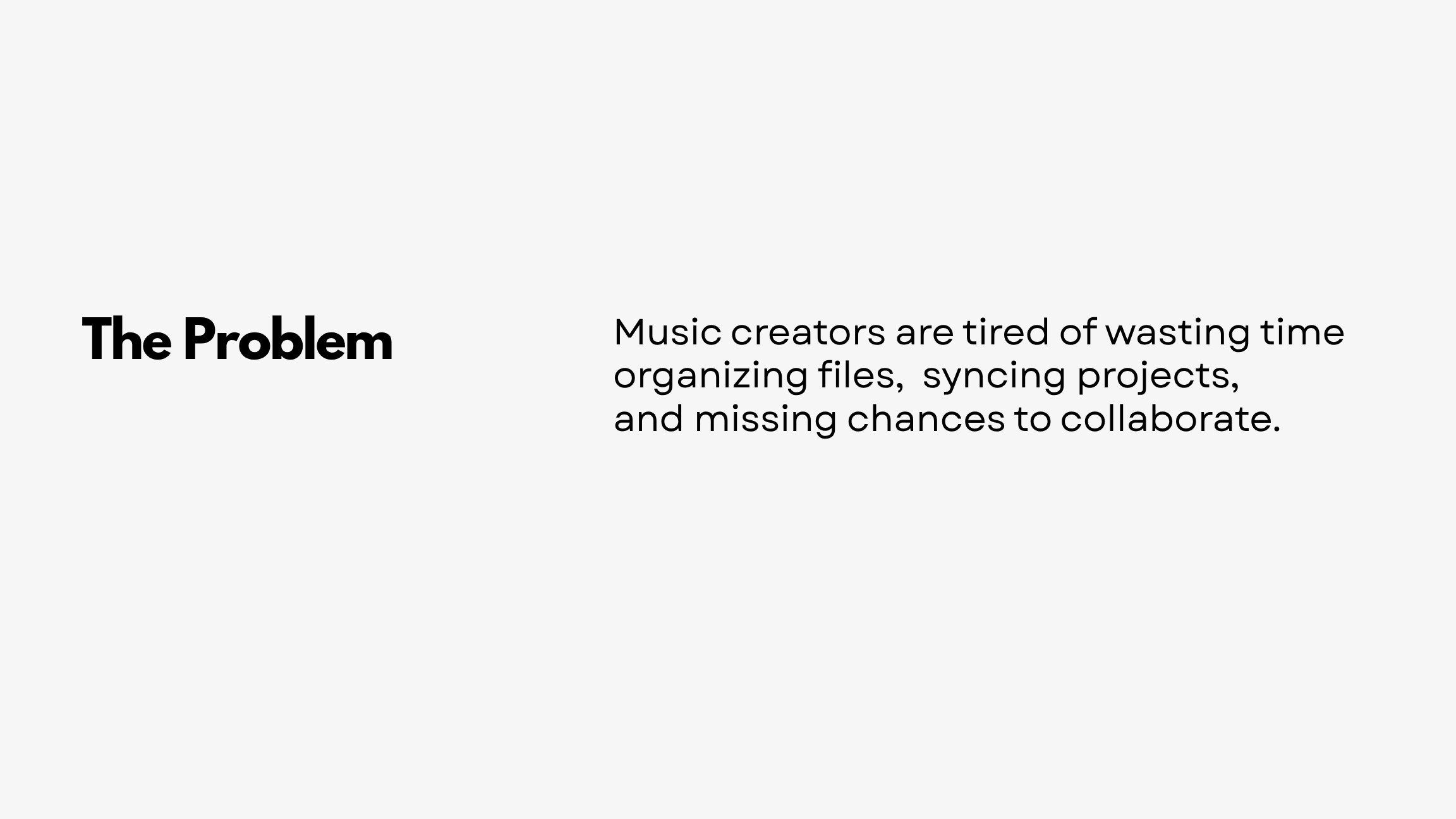
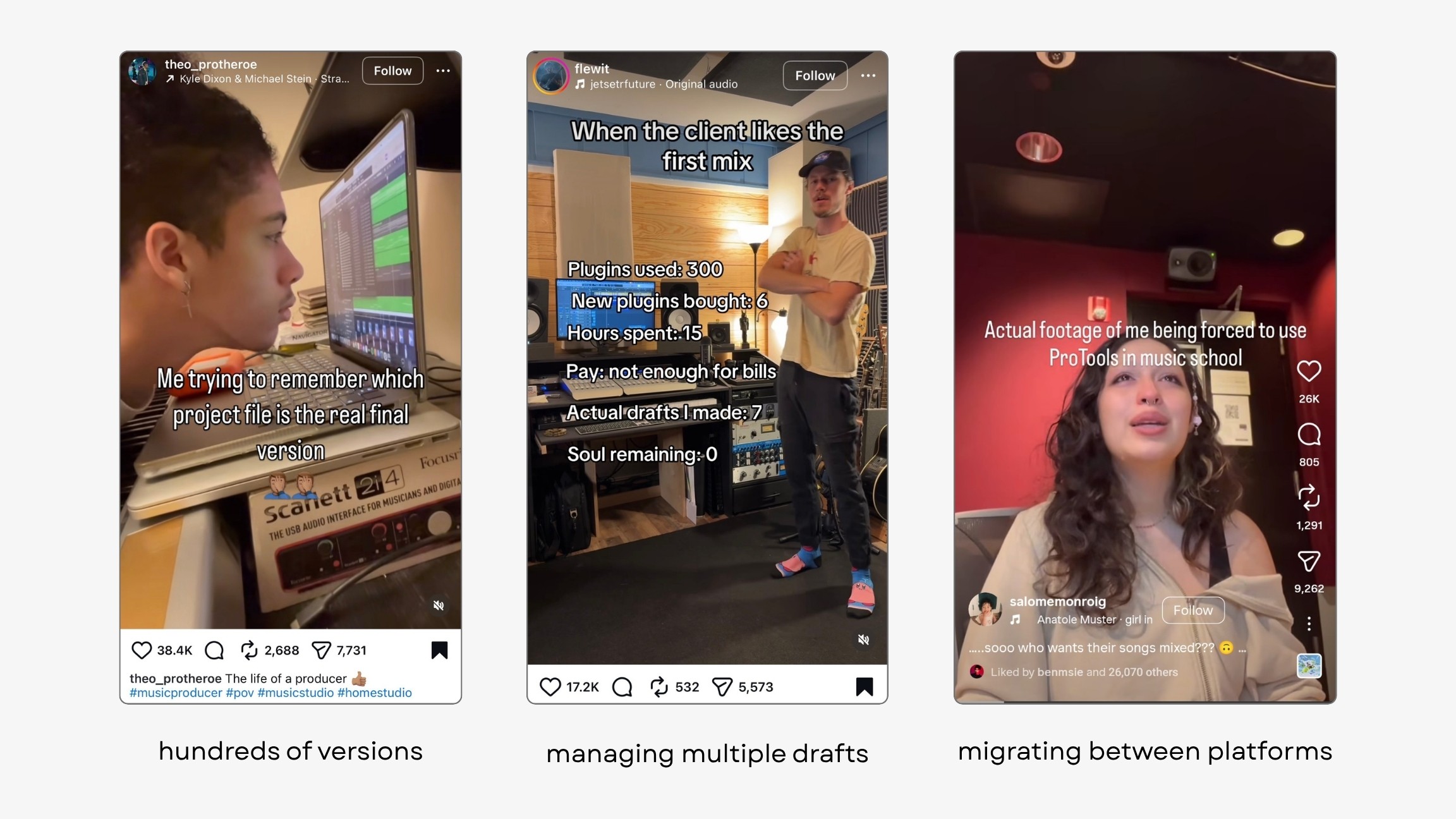
We spoke with more than fifty users across three rounds of discovery. The recurring, high-priority pain:
What emerged was a way of thinking about a project as a composition of five core elements: track structure, clip contents, automation, global parameters, and devices. Those five essentially define an entire production project.
Prototype: als_converter
With that framing, I built a small codebase (a Jupyter notebook): an ALS-to-JSON converter that turns an Ableton Live project into JSON the machine can read.
I could then extract all the metadata: each clip becomes a JSON object with its ID, name, start & end time, and linked data.
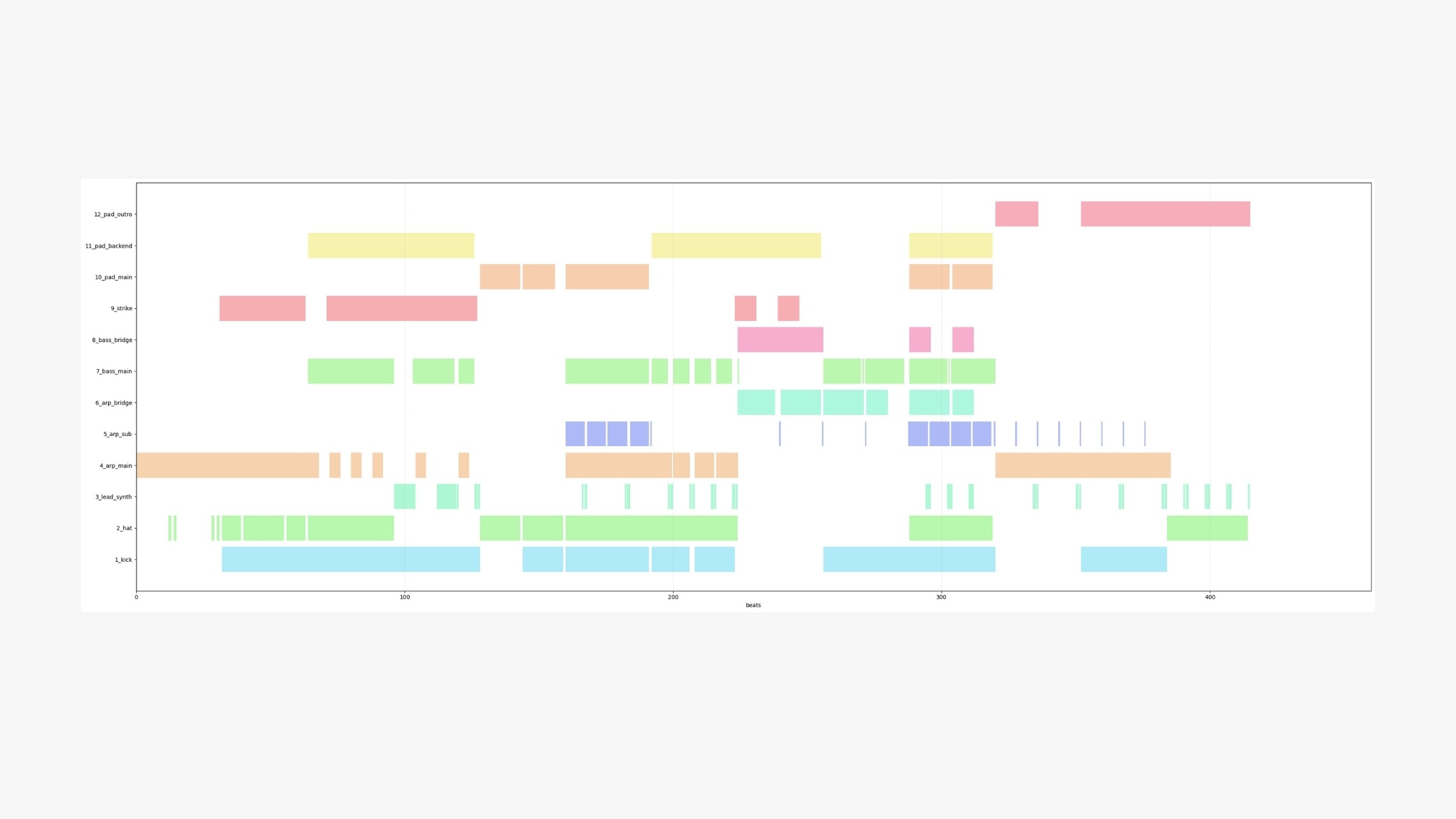
The tool let me visualize the full track structure (which track plays when) as a single diagram, and it became the foundation on which everything else was built.
Design
Onboarding
Opening the ColDAW editor brings up an interface that, by design, feels a little like CapCut: upload a project, and it analyzes the project and its linked audio assets before proceeding.
I designed a drop-in button as the starting point: hovering over it triggers a satisfying gradient.
Once a project is selected, a window prompts users to initialize it. A machine-learning model reads the structure and proposes a name that combines the track's style and tempo.
From our interviews, those were the two attributes producers care about most when naming. A small tag marks the suggested name. You can re-randomize if you're not satisfied.
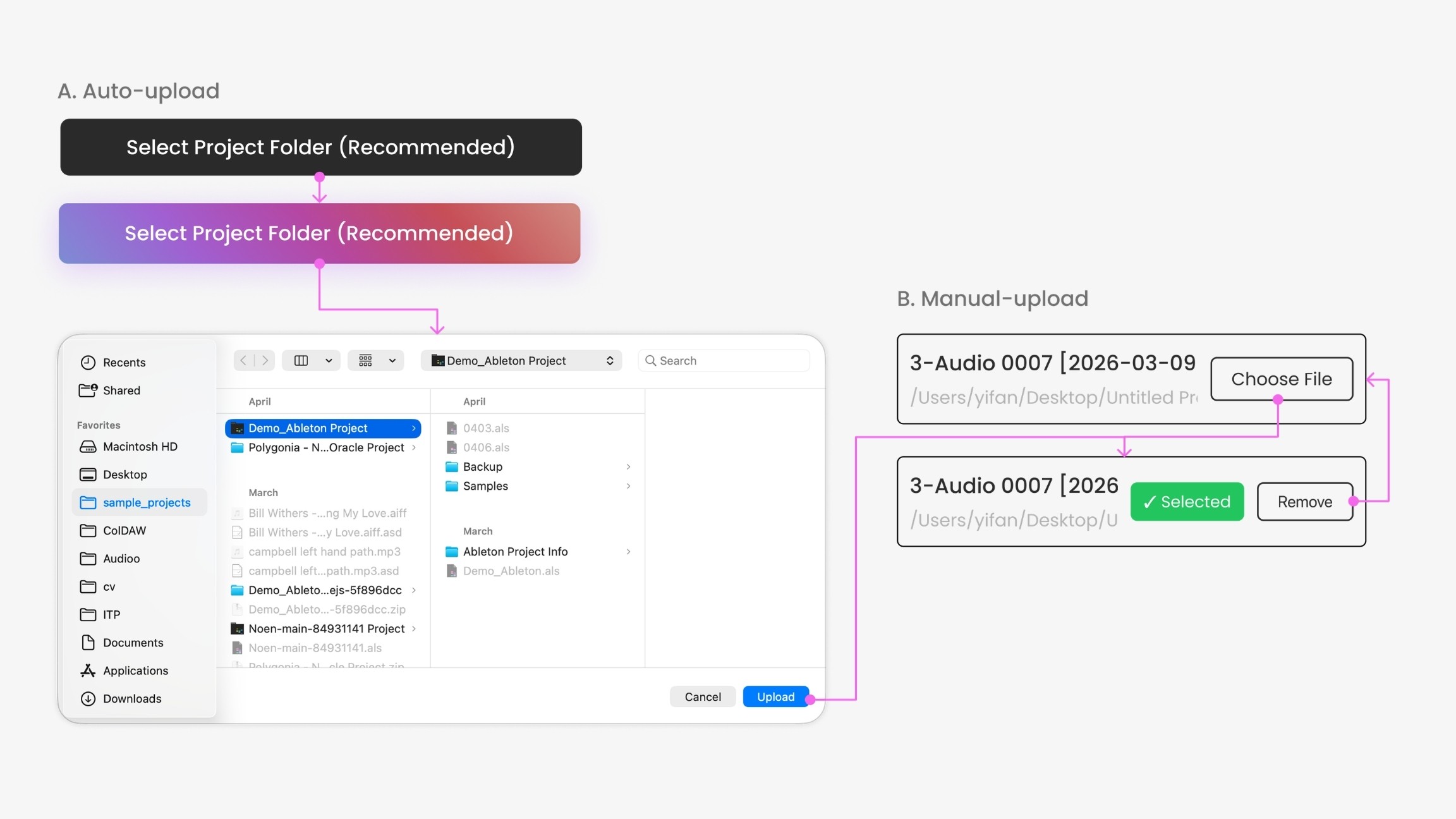
From there, you upload files two ways:
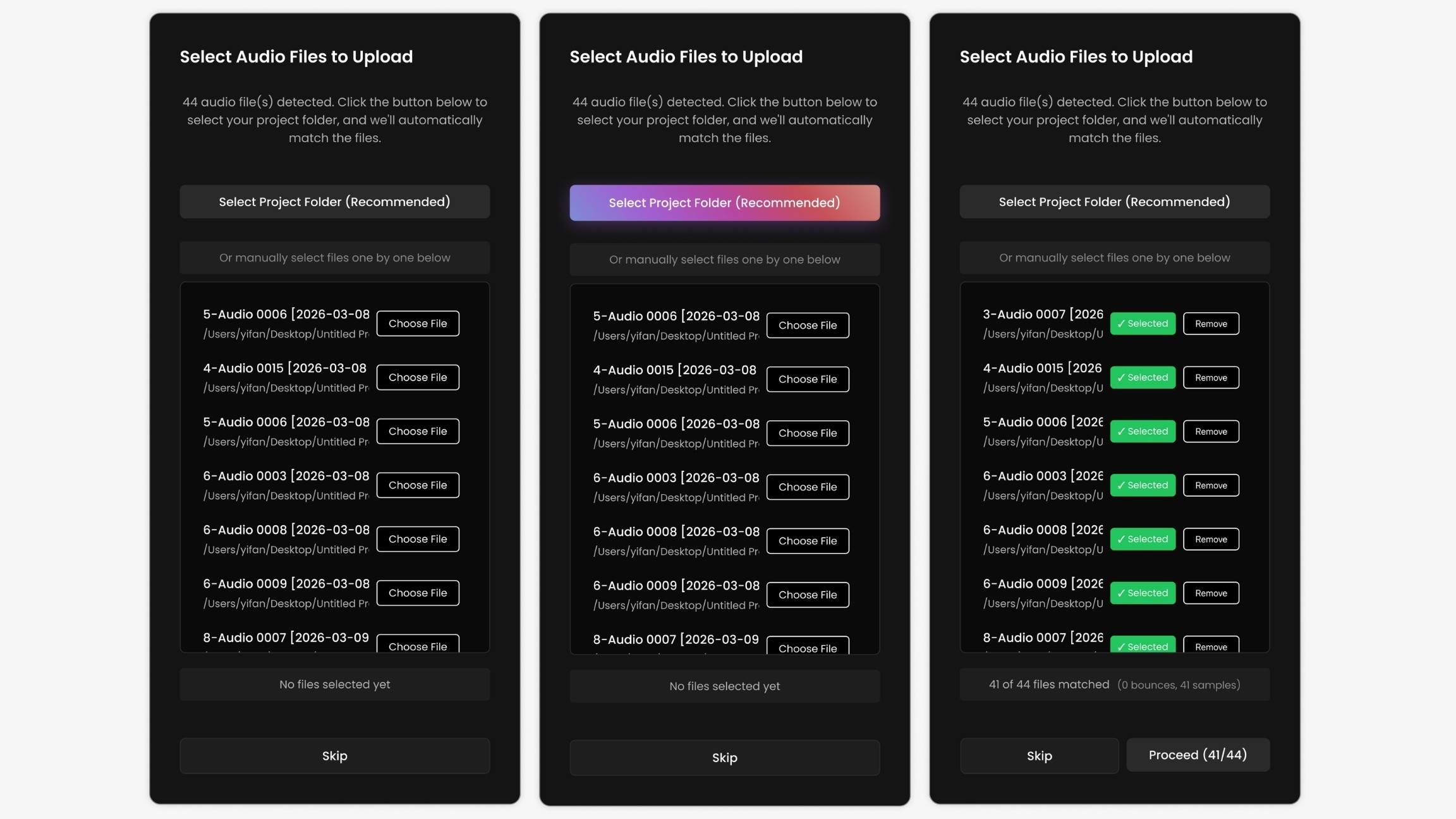
Auto upload, where an algorithm scans a folder and detects only the linked audio assets (not every file in the folder) for batch upload.
Manual upload for anything the algorithm can't detect on its own.
Inspection
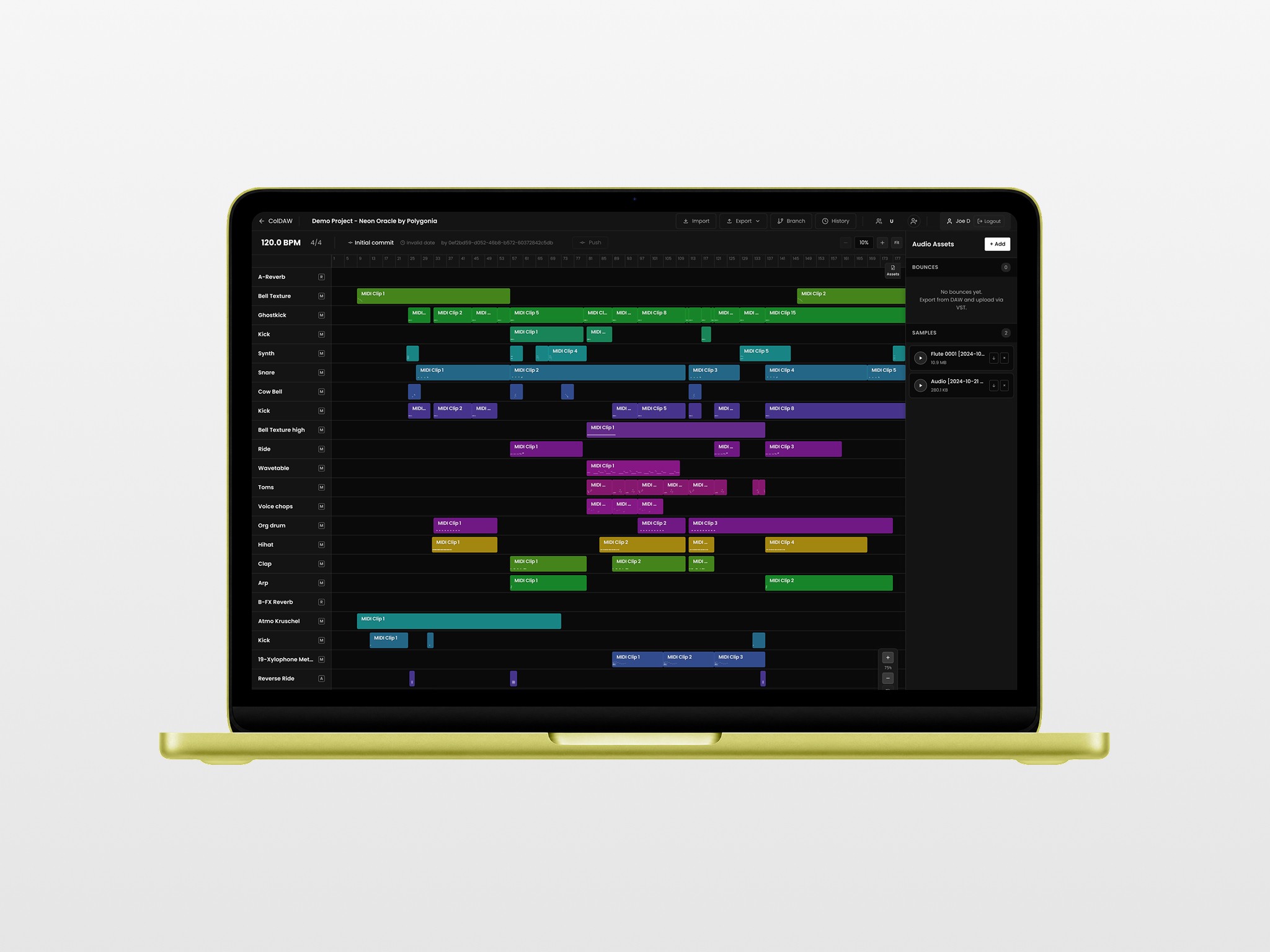
After onboarding, users land in an interface for examining the whole project: filter assets, play them back, download or delete them, and inspect the structure. Select a single track, and the right-hand inspector shows its properties and all linked assets.
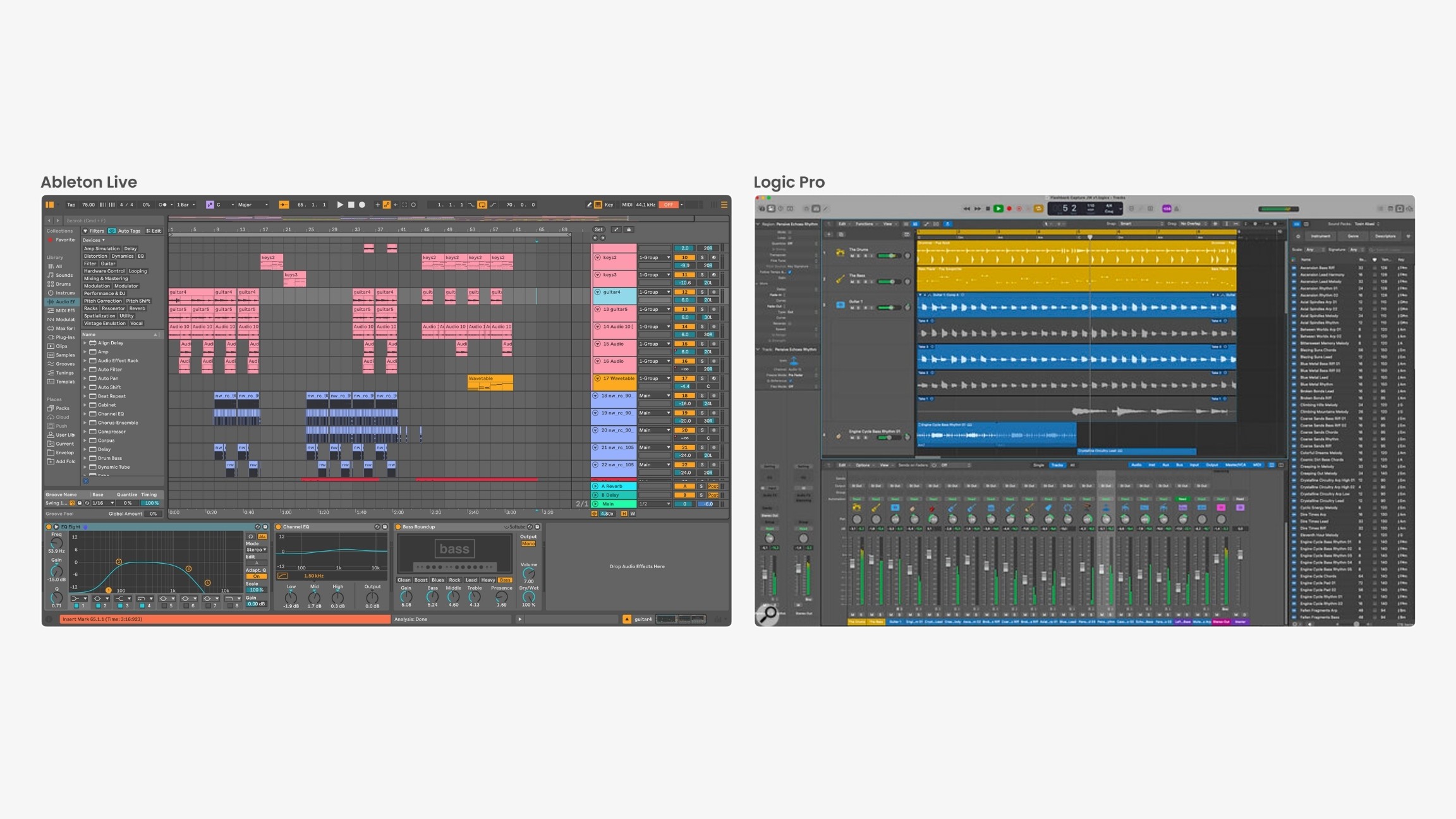
I designed this after studying DAWs (digital audio workstations), which generally share four parts:
A top menu
A track panel on the left
An inspector on the right
A content panel in the middle.
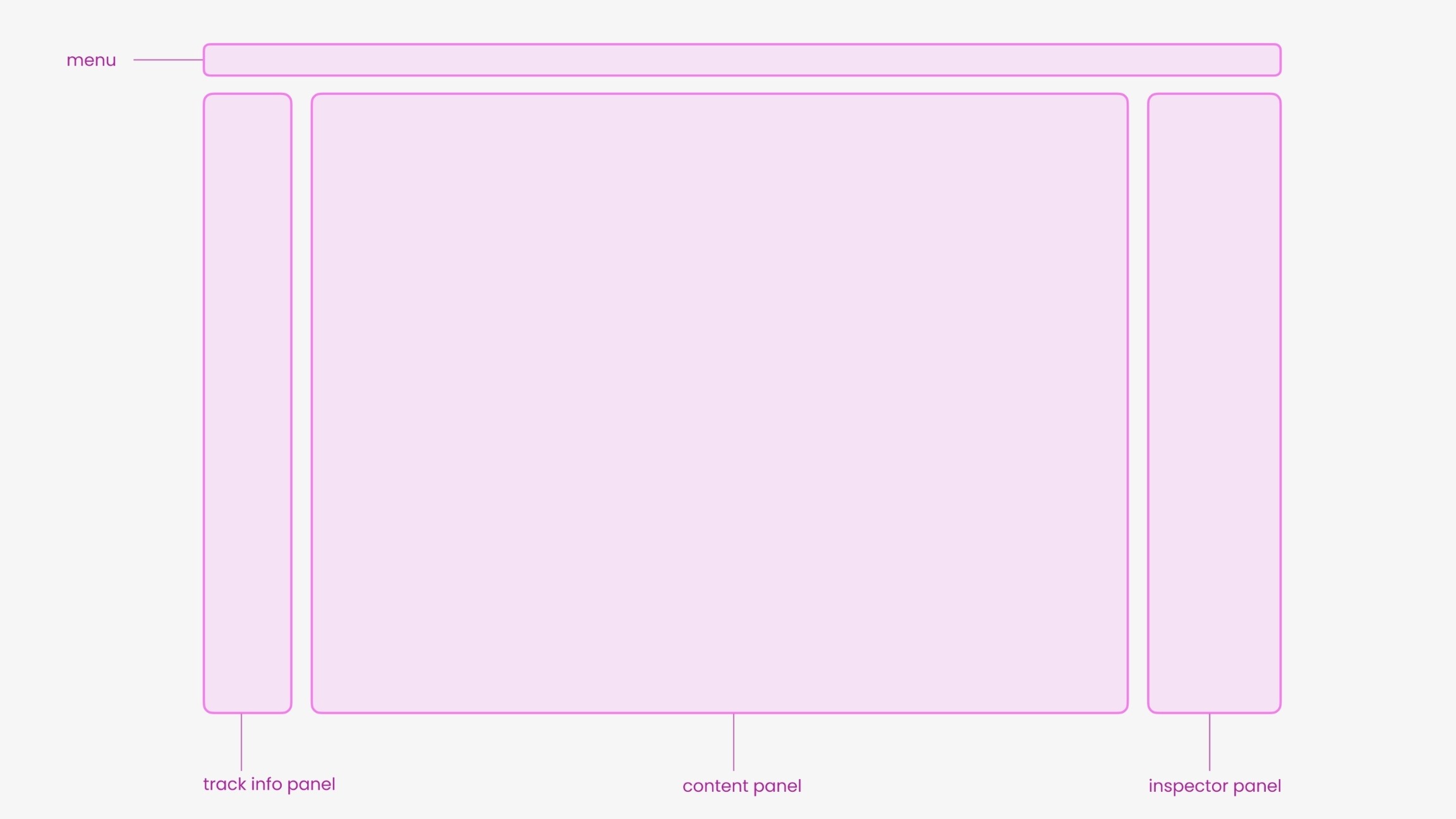
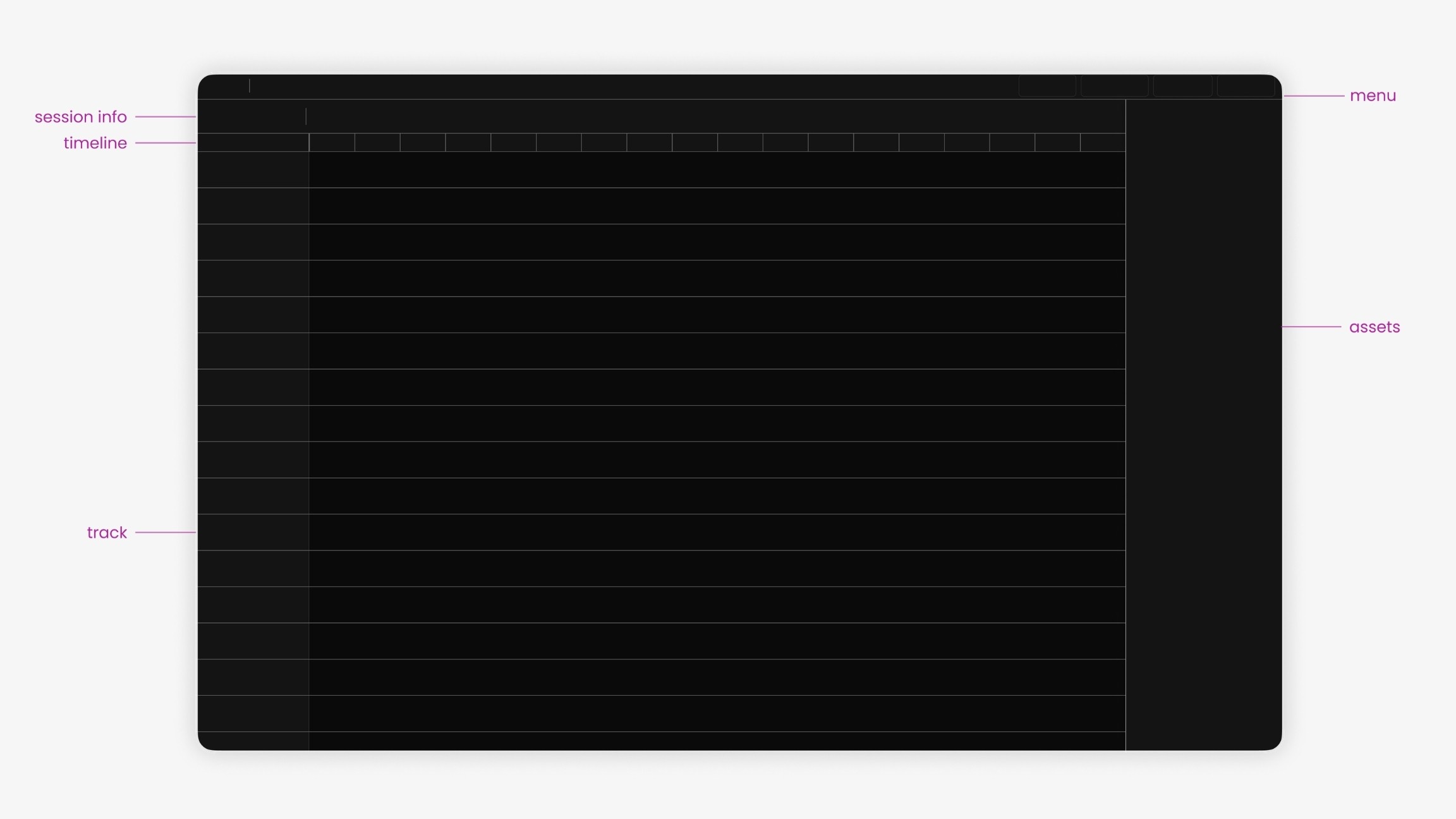
My low-fidelity prototype followed Logic Pro and Ableton Live closely, then added a color palette to the tracks and clips (borrowed from Logic Pro) so the layout feels familiar and producers can navigate quickly.
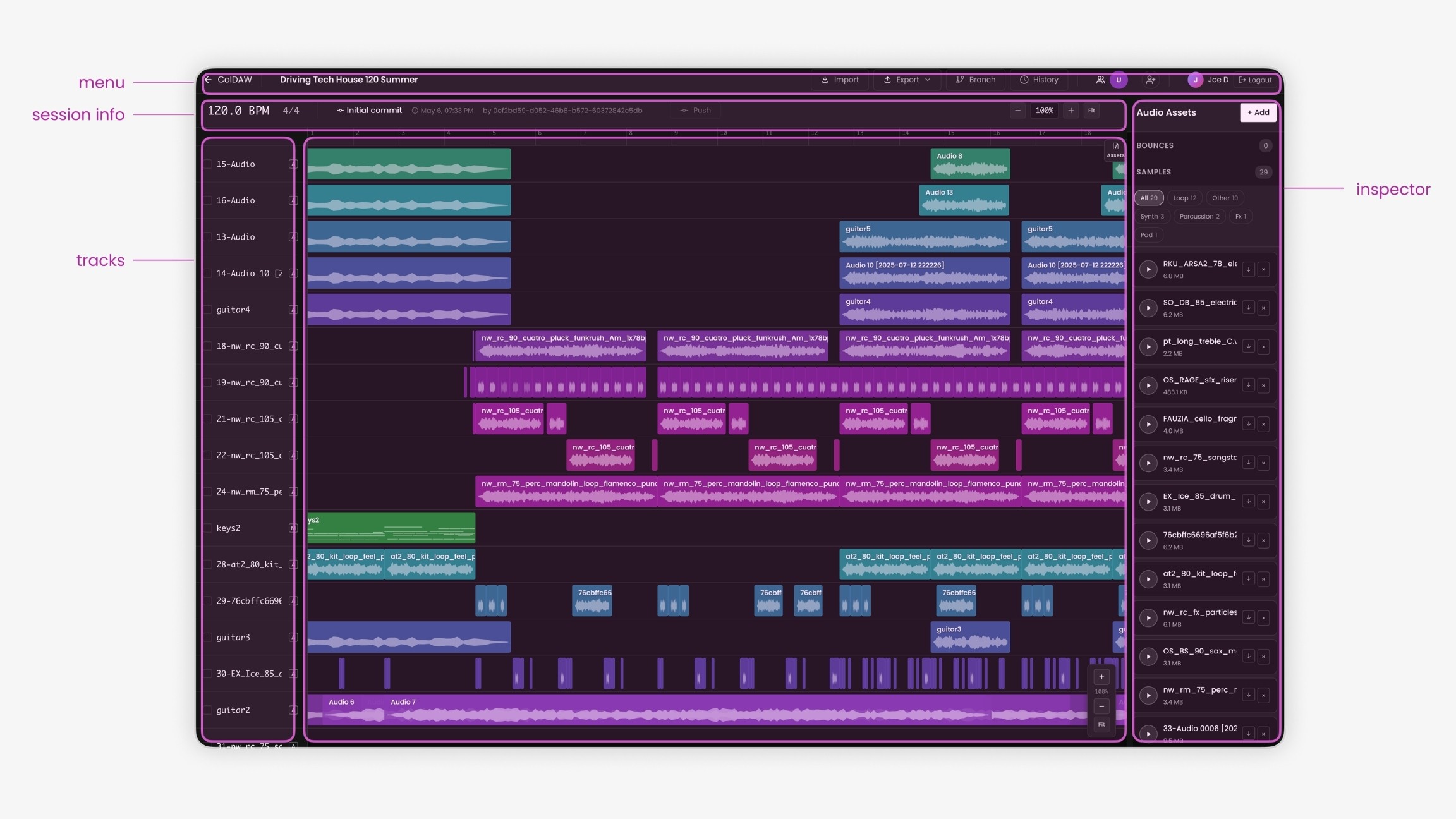
In the inspection view, you can go through the whole project: filter assets, play them back, download or delete them. Select a track, and the inspector on the right shows its properties and everything linked to it.
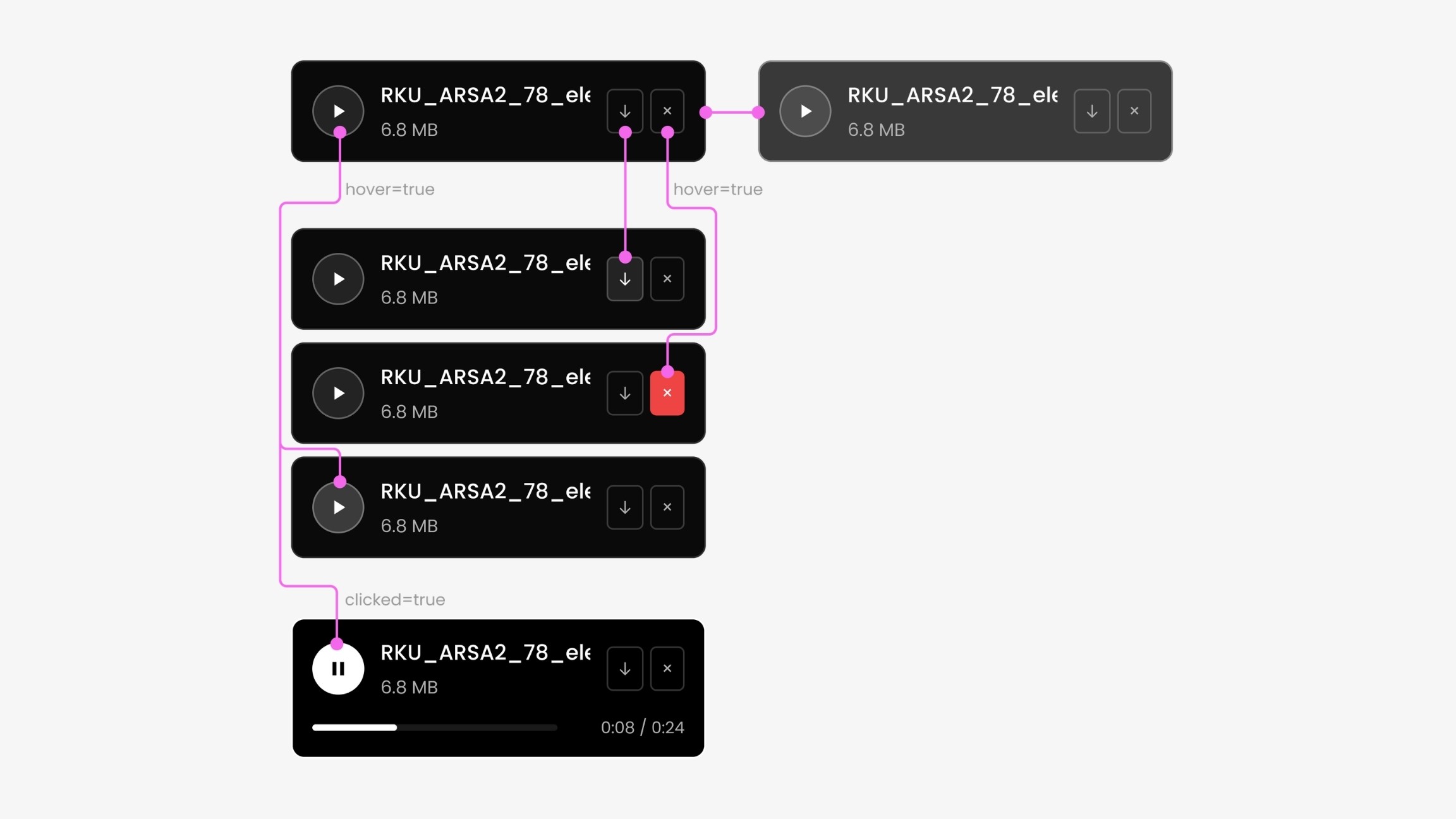
A small widget handles zoom:
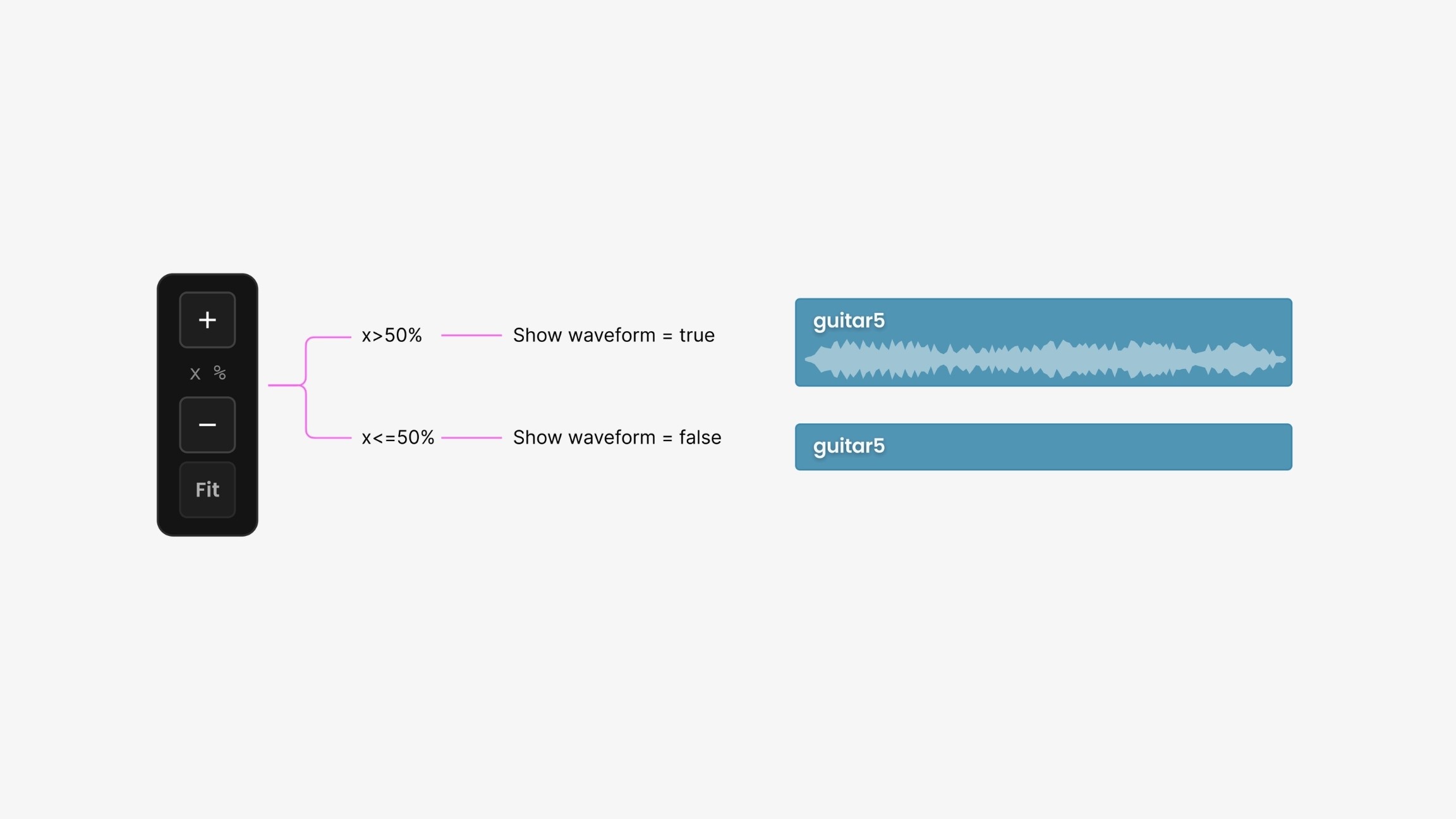
> 50%, clips reveal their waveforms;
<= 50%, they don't.
That keeps the interface from getting cluttered with detail.
The auto-generated tags turned into the filter buttons up top, and the inspector tallies whatever you've selected. You can also export to JSON, p5.js, or Tone.js, which is useful for computational music.
Version control
This is the part I'm proudest of. It works closely with the local DAW plugin. After installing it, you can export your local audio assets or whole projects straight to the browser, and the plugin opens the web app for you.
The real value is that it enables applying changes locally, pushing, and ColDAW compares everything, creates a commit, and produces a new version, just like GitHub. You can branch, revert, commit, and write commit messages so teammates understand exactly what changed.
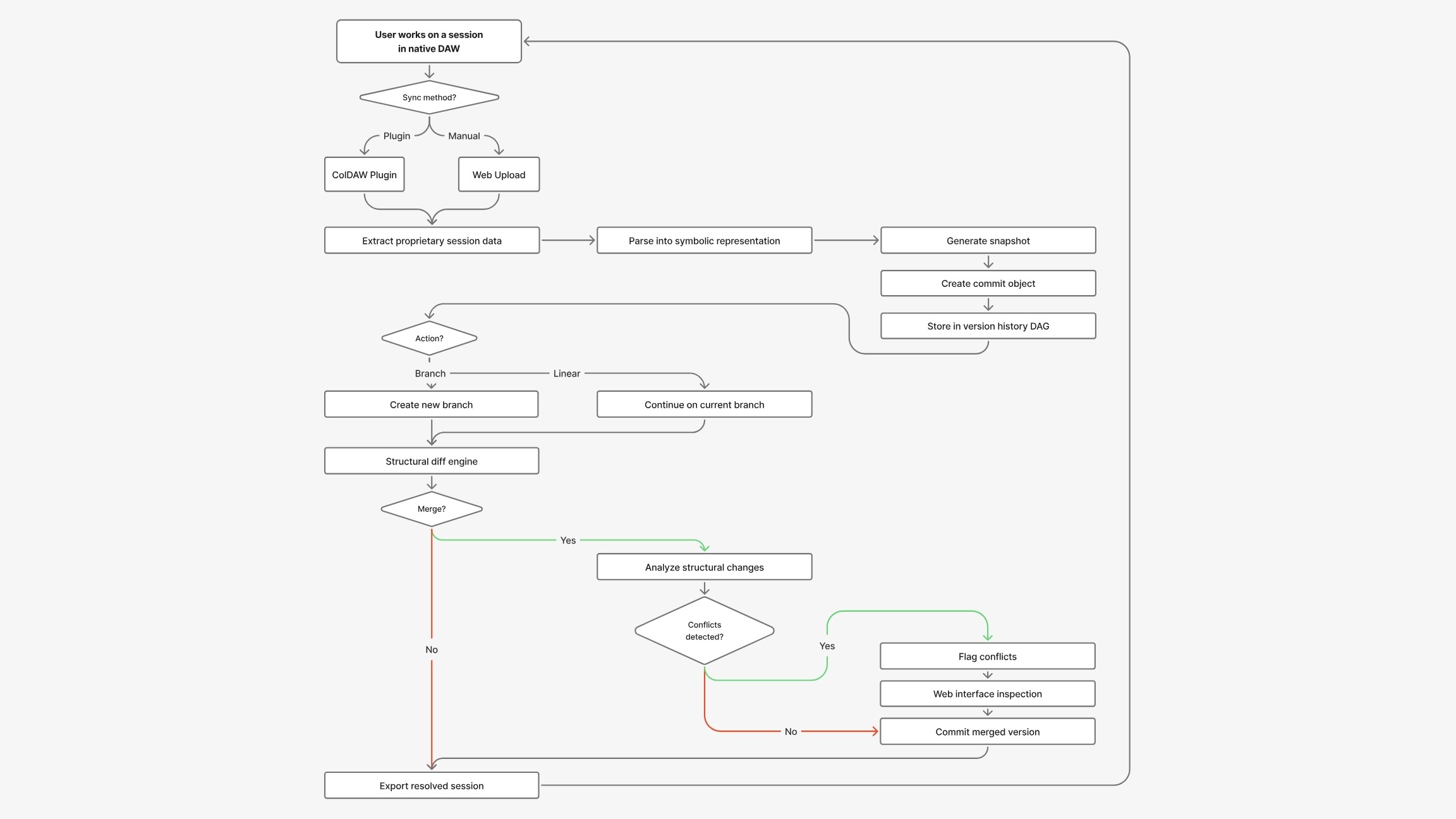
On the backend, the system detects whether you're working through the plugin or the browser, parses the project into a symbolic representation, generates a snapshot, creates a commit object, and pushes it to the database.
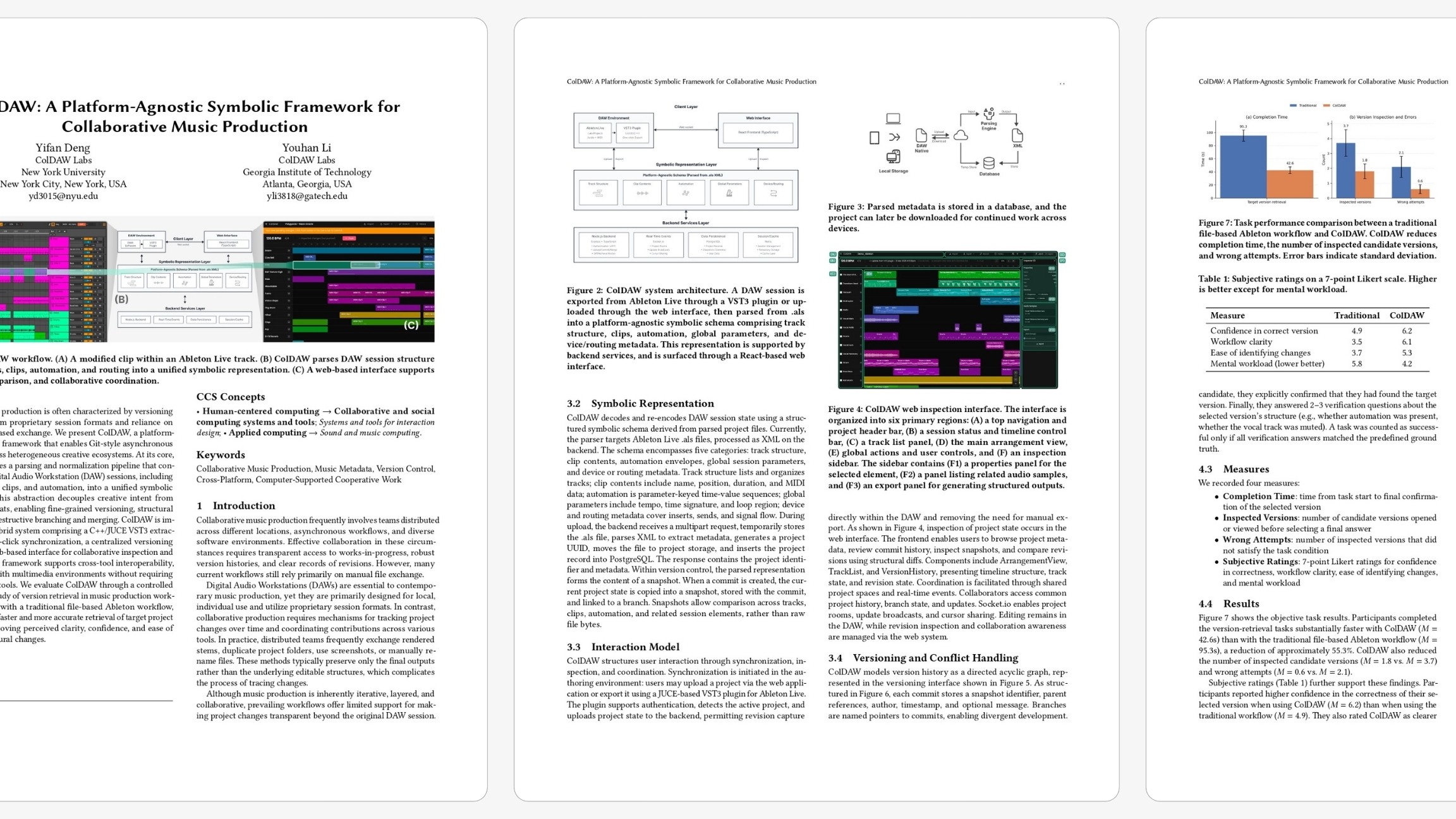
We submitted this work to ACM UIST, and the early review feedback put us in a promising range for acceptance.
Non-intrusive AI
AI is the dominant conversation right now, but in creative work (and especially in music) it remains a sensitive subject.
How we integrated it took real thought and discussion within the team. The principle I landed on was what I call non-intrusive AI: limited access to creative data, operating silently in the background, assisting the workflow without deconstructing it.
Double ML Models
ColDAW uses two machine-learning models:
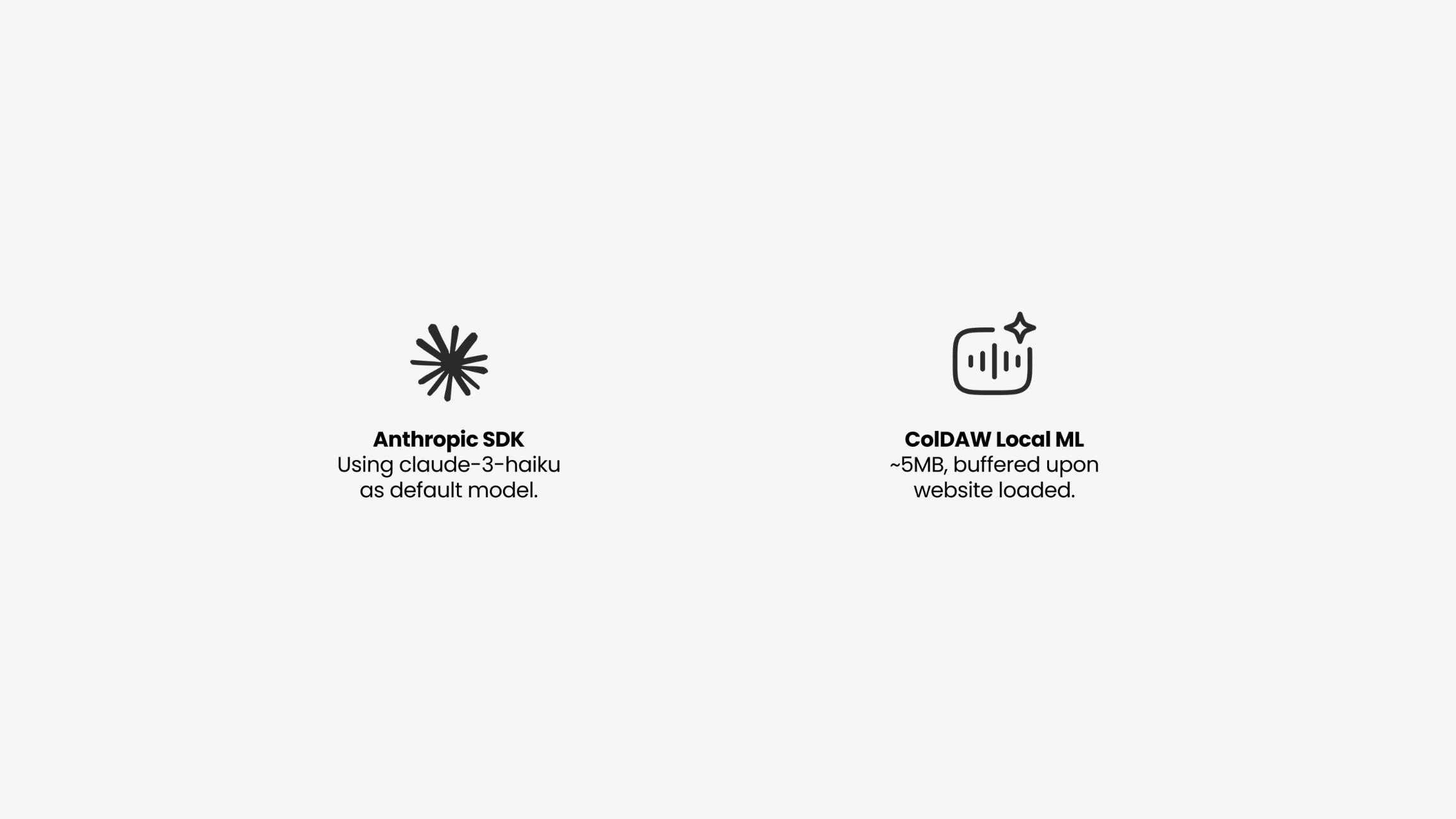
Anthropic SDK, with Claude 3 Haiku as the default.
Our own small local model, built with my teammate Youhan, can be buffered as soon as the website loads.
Which model we use depends on the scenario.
Smart Naming
For smart naming, we send only text content including
track structure
global parameters
the names of samples
automation
devices and routing all to the Anthropic SDK.
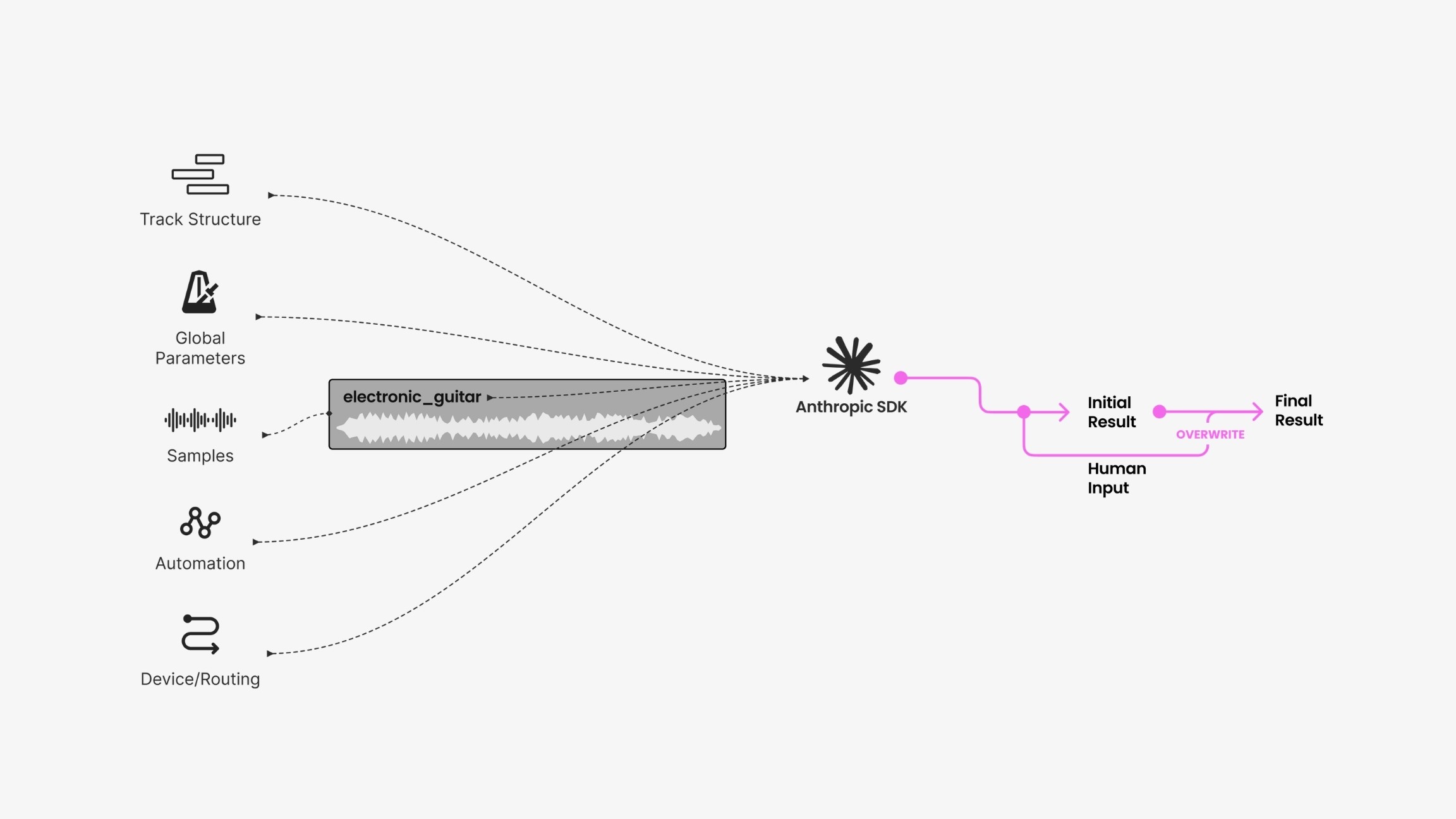
Because there's not much data, it returns a fast initial result. If the user overrides it, their choice wins; otherwise, the suggestion stands.
Auto Tagging
For auto-tagging (tagging audio samples so producers can filter and navigate them) we send only the text content to the Anthropic SDK but keep the audio in our local model. That way, we never upload audio samples to a third party; it stays non-intrusive and local.
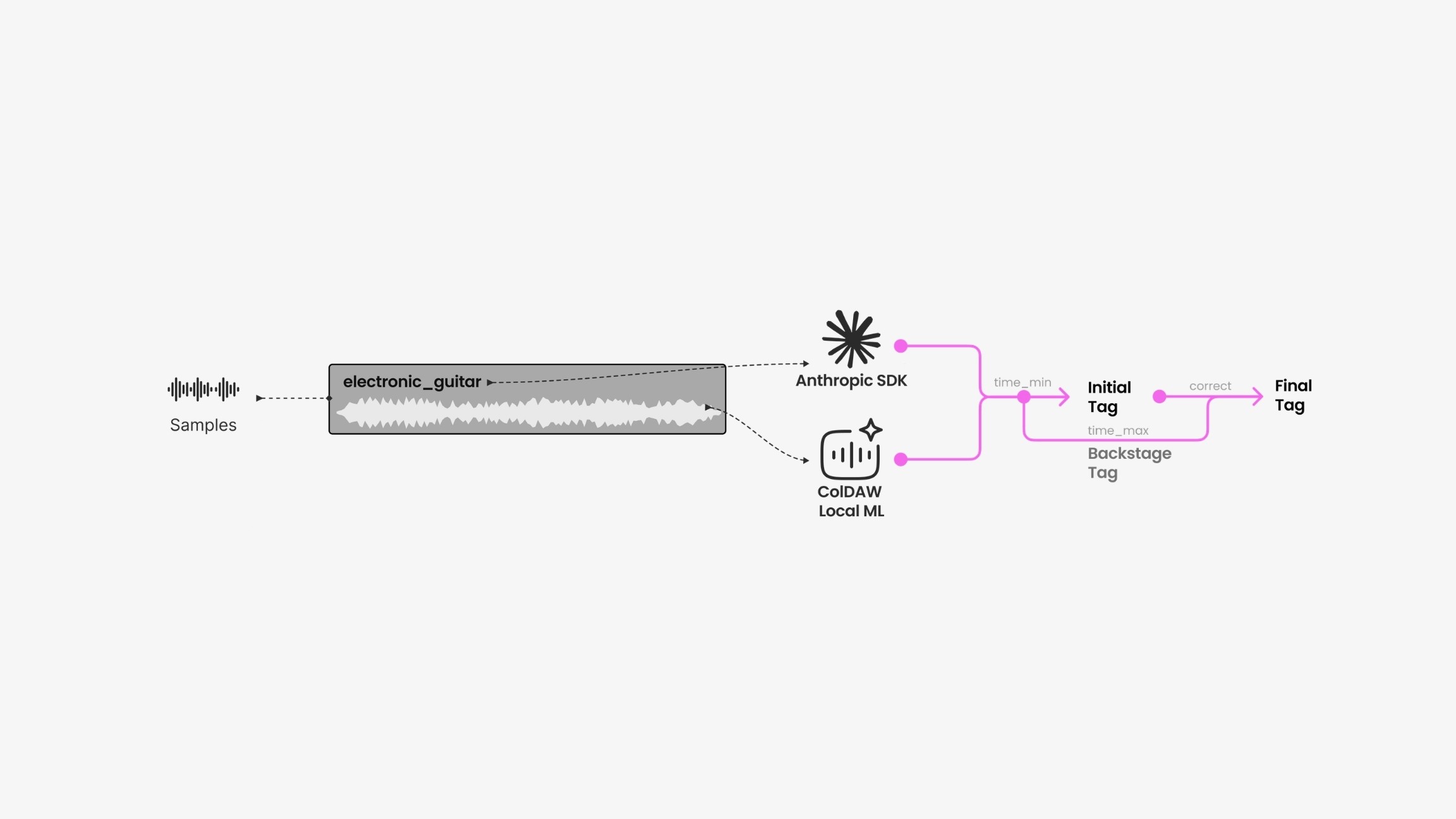
Processing time varies with sample and project size, so we take a two-pass approach: the fast model produces an initial tag, the slower one produces a backstage tag, and the two reconcile into a final result.
Project Summarize
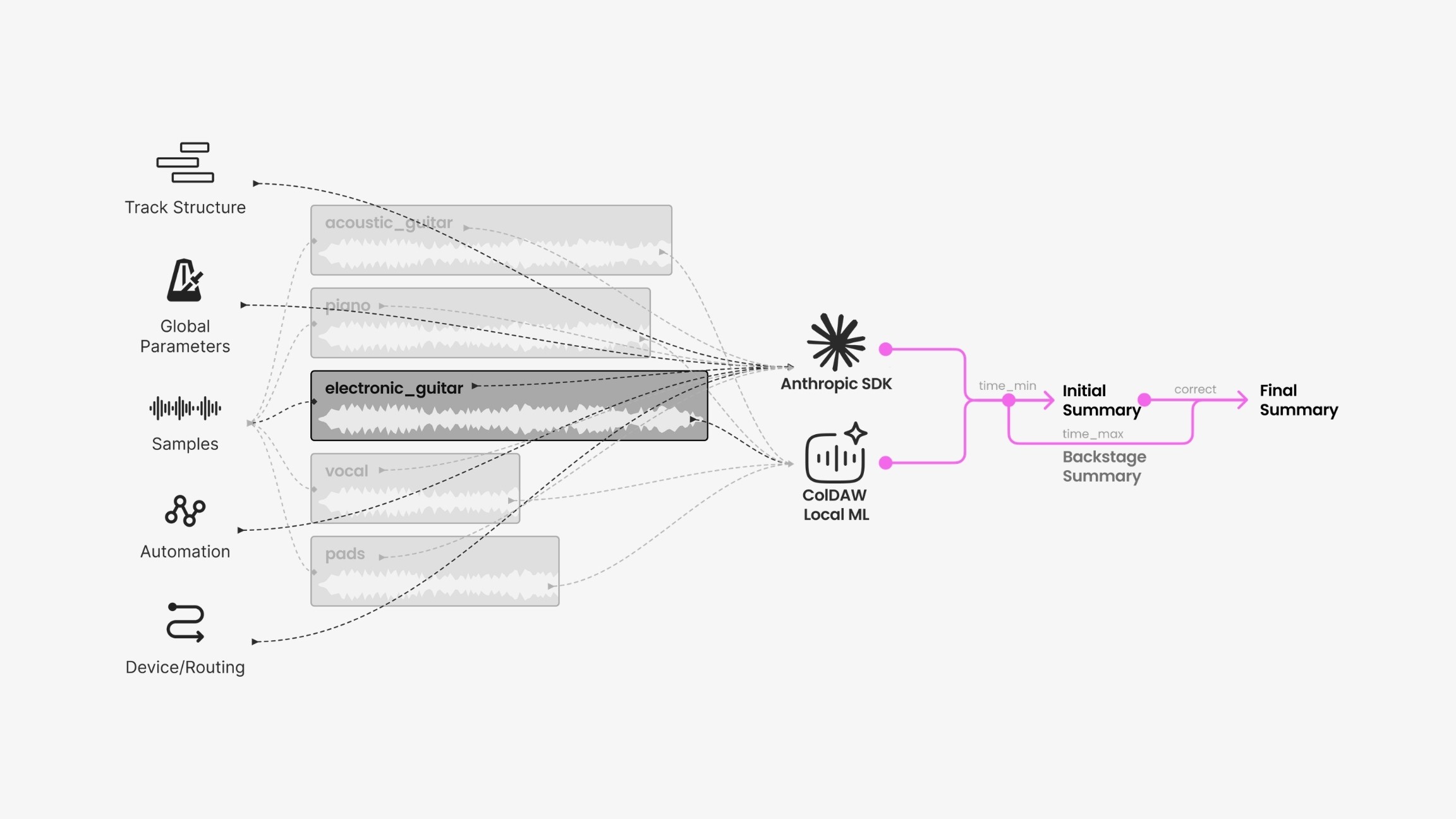
The last feature, Project Summarize, is still in progress. The idea is to combine both workflows: text into the Anthropic SDK, audio into the local model, to summarize how a project evolved. If two teammates want to see what the other changed, a snapshot of the project's evolution would be genuinely useful.
Building it as a team
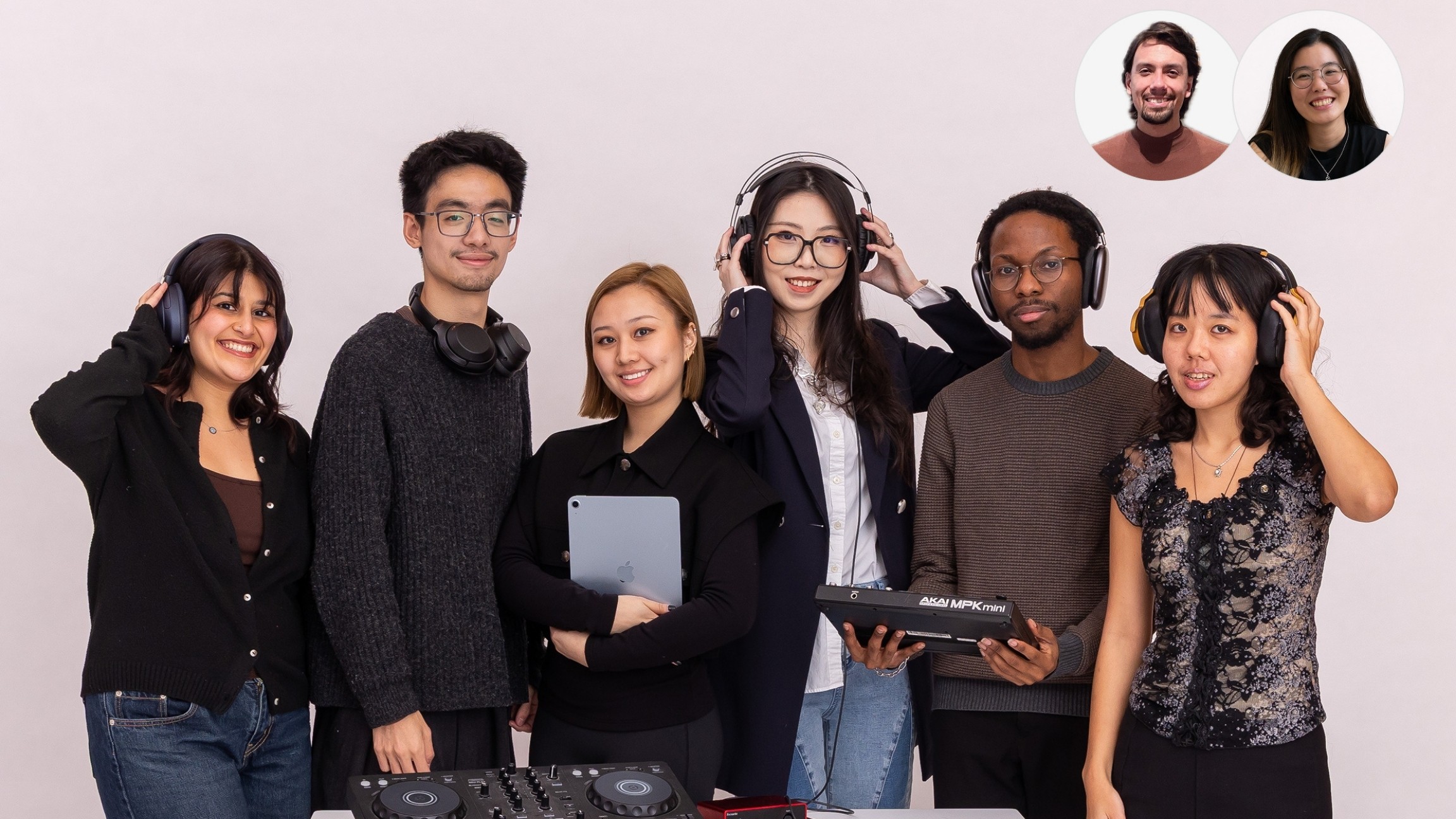
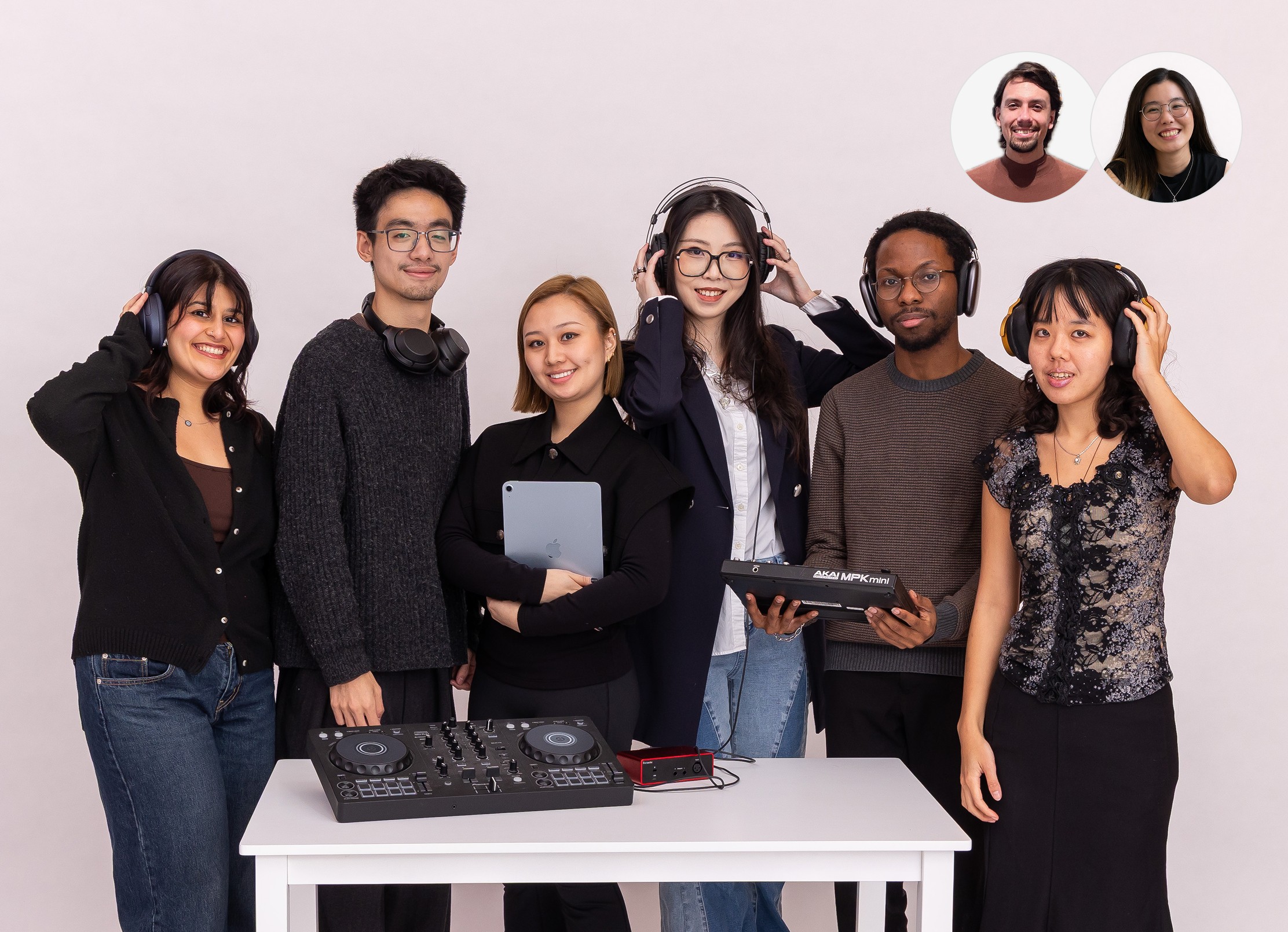
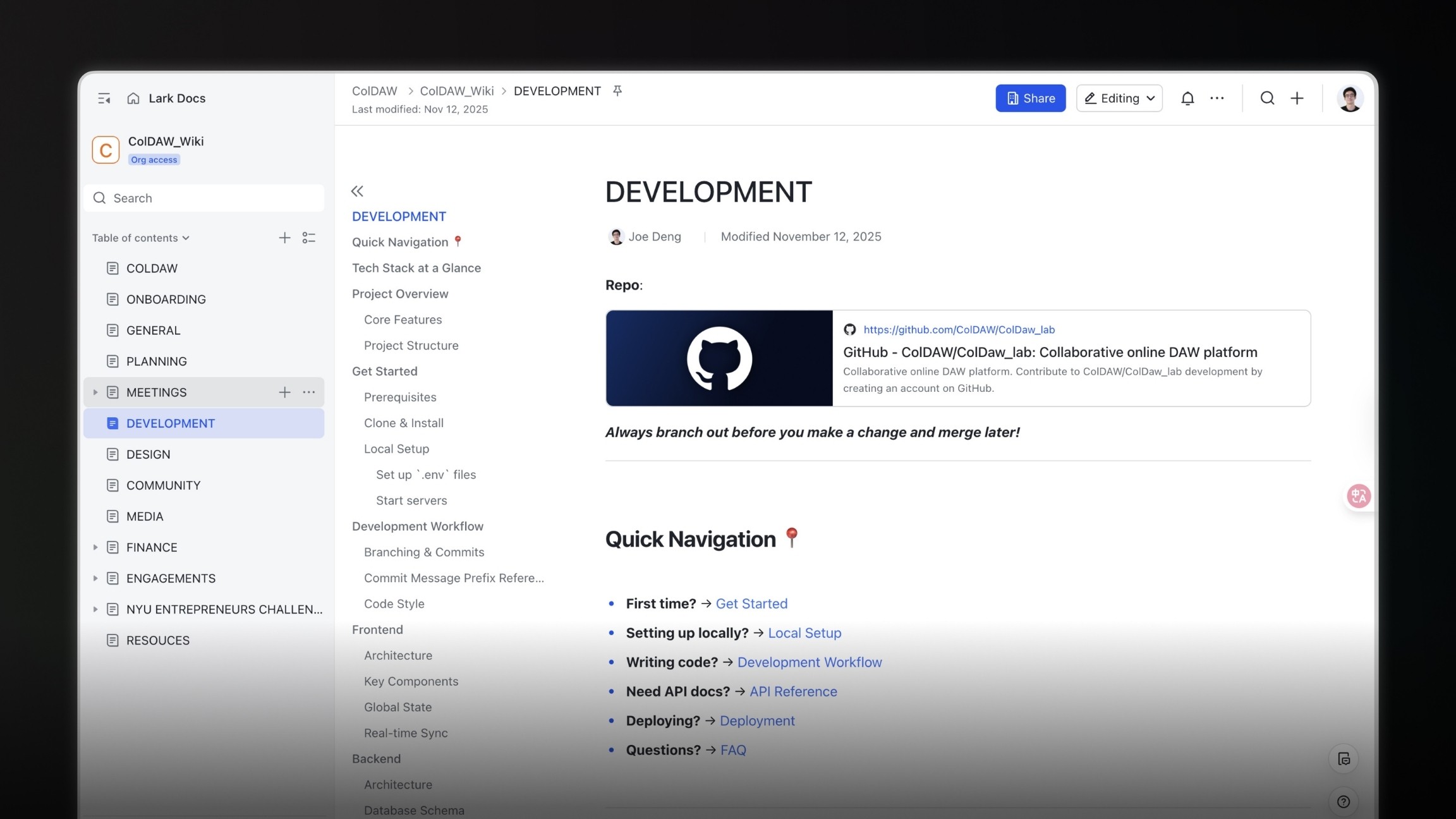
Beyond the product, ColDAW is also an operation. I work with a team of eight, and I maintain a large wiki covering how we work, our planning, the concept, and the design system, alongside a development wiki on GitHub that organizes our codebases and helps new members onboard.
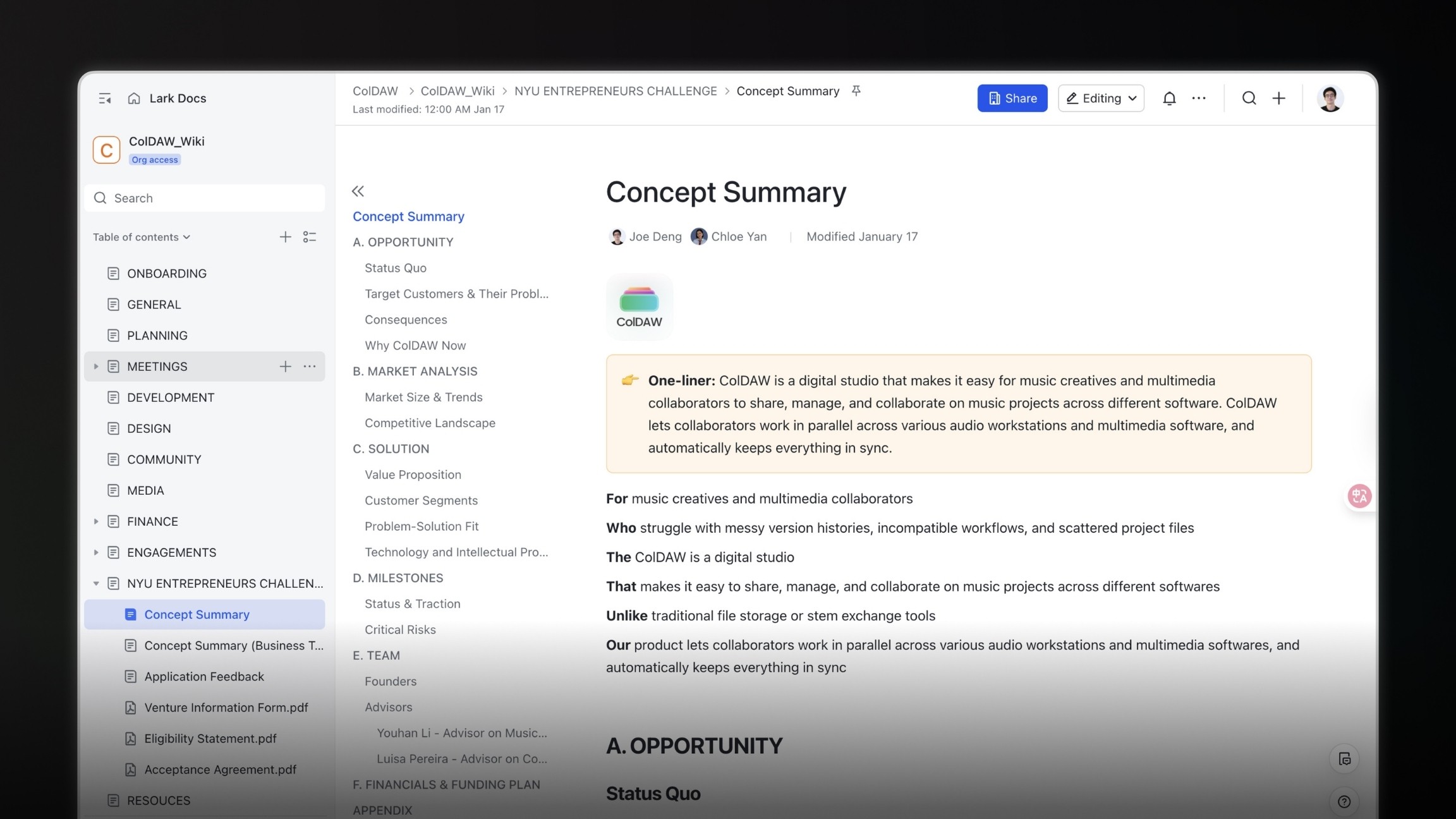
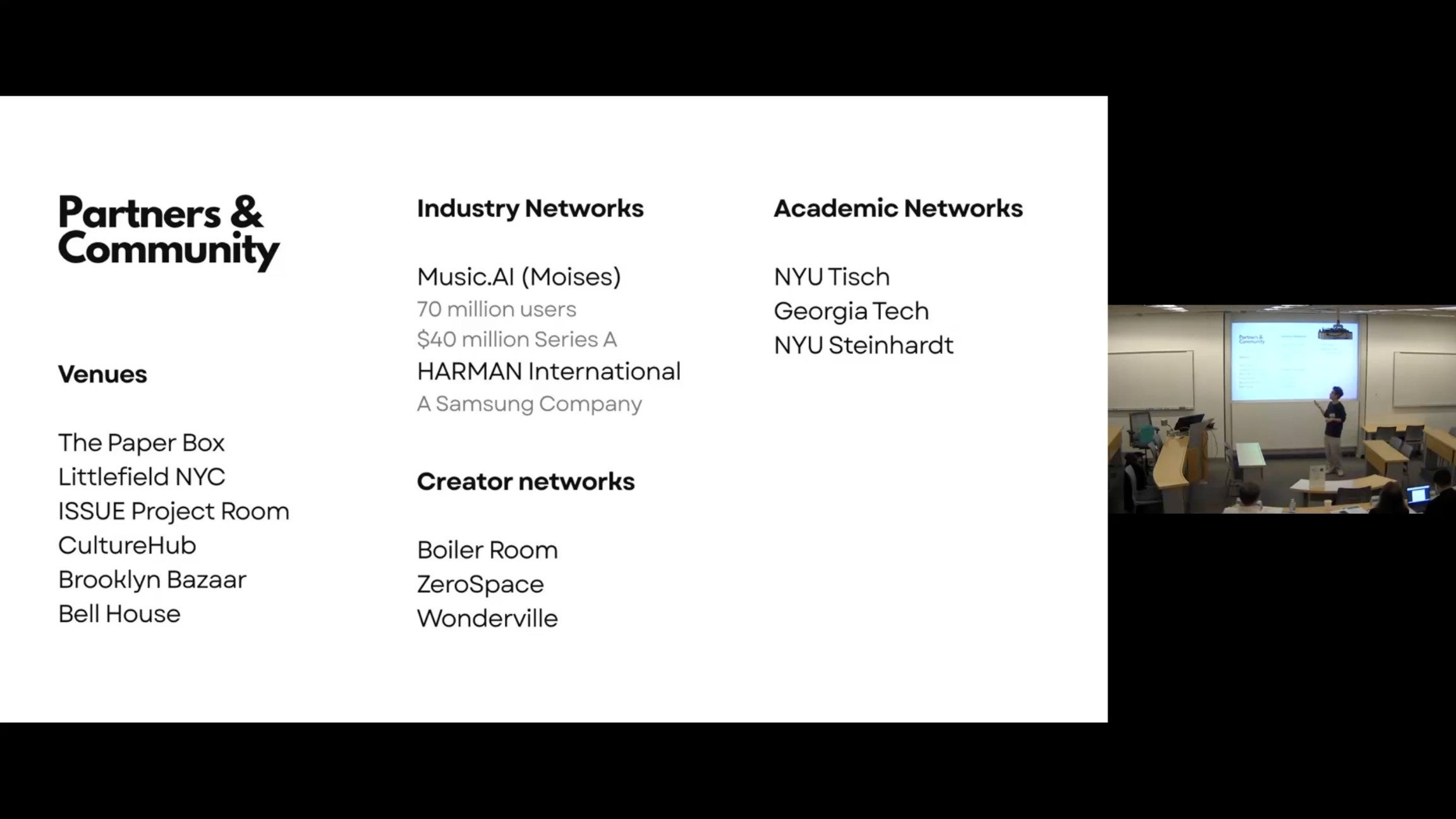
We also spend time building community and pursuing partnerships, much of which comes down to management, operations, and the soft skills that go with them.
Research
We spoke with more than fifty users across three rounds of discovery. The recurring, high-priority pain:
What emerged was a way of thinking about a project as a composition of five core elements: track structure, clip contents, automation, global parameters, and devices. Those five essentially define an entire production project.
Prototype: als_converter
With that framing, I built a small codebase (a Jupyter notebook): an ALS-to-JSON converter that turns an Ableton Live project into JSON the machine can read.
I could then extract all the metadata: each clip becomes a JSON object with its ID, name, start & end time, and linked data.
The tool let me visualize the full track structure (which track plays when) as a single diagram, and it became the foundation on which everything else was built.
Design
Onboarding
Opening the ColDAW editor brings up an interface that, by design, feels a little like CapCut: upload a project, and it analyzes the project and its linked audio assets before proceeding.
I designed a drop-in button as the starting point: hovering over it triggers a satisfying gradient.
Once a project is selected, a window prompts users to initialize it. A machine-learning model reads the structure and proposes a name that combines the track's style and tempo.
From our interviews, those were the two attributes producers care about most when naming. A small tag marks the suggested name. You can re-randomize if you're not satisfied.
From there, you upload files two ways:
Auto upload, where an algorithm scans a folder and detects only the linked audio assets (not every file in the folder) for batch upload.
Manual upload for anything the algorithm can't detect on its own.
Inspection
After onboarding, users land in an interface for examining the whole project: filter assets, play them back, download or delete them, and inspect the structure. Select a single track, and the right-hand inspector shows its properties and all linked assets.
I designed this after studying DAWs (digital audio workstations), which generally share four parts:
A top menu
A track panel on the left
An inspector on the right
A content panel in the middle.
My low-fidelity prototype followed Logic Pro and Ableton Live closely, then added a color palette to the tracks and clips (borrowed from Logic Pro) so the layout feels familiar and producers can navigate quickly.
In the inspection view, you can go through the whole project: filter assets, play them back, download or delete them. Select a track, and the inspector on the right shows its properties and everything linked to it.
A small widget handles zoom:
> 50%, clips reveal their waveforms;
<= 50%, they don't.
That keeps the interface from getting cluttered with detail.
The auto-generated tags turned into the filter buttons up top, and the inspector tallies whatever you've selected. You can also export to JSON, p5.js, or Tone.js, which is useful for computational music.
Version control
This is the part I'm proudest of. It works closely with the local DAW plugin. After installing it, you can export your local audio assets or whole projects straight to the browser, and the plugin opens the web app for you.
The real value is that it enables applying changes locally, pushing, and ColDAW compares everything, creates a commit, and produces a new version, just like GitHub. You can branch, revert, commit, and write commit messages so teammates understand exactly what changed.
On the backend, the system detects whether you're working through the plugin or the browser, parses the project into a symbolic representation, generates a snapshot, creates a commit object, and pushes it to the database.
We submitted this work to ACM UIST, and the early review feedback put us in a promising range for acceptance.
Non-intrusive AI
AI is the dominant conversation right now, but in creative work (and especially in music) it remains a sensitive subject.
How we integrated it took real thought and discussion within the team. The principle I landed on was what I call non-intrusive AI: limited access to creative data, operating silently in the background, assisting the workflow without deconstructing it.
Double ML Models
ColDAW uses two machine-learning models:
Anthropic SDK, with Claude 3 Haiku as the default.
Our own small local model, built with my teammate Youhan, can be buffered as soon as the website loads.
Which model we use depends on the scenario.
Smart Naming
For smart naming, we send only text content including
track structure
global parameters
the names of samples
automation
devices and routing all to the Anthropic SDK.
Because there's not much data, it returns a fast initial result. If the user overrides it, their choice wins; otherwise, the suggestion stands.
Auto Tagging
For auto-tagging (tagging audio samples so producers can filter and navigate them) we send only the text content to the Anthropic SDK but keep the audio in our local model. That way, we never upload audio samples to a third party; it stays non-intrusive and local.
Processing time varies with sample and project size, so we take a two-pass approach: the fast model produces an initial tag, the slower one produces a backstage tag, and the two reconcile into a final result.
Project Summarize
The last feature, Project Summarize, is still in progress. The idea is to combine both workflows: text into the Anthropic SDK, audio into the local model, to summarize how a project evolved. If two teammates want to see what the other changed, a snapshot of the project's evolution would be genuinely useful.
Building it as a team
Beyond the product, ColDAW is also an operation. I work with a team of eight, and I maintain a large wiki covering how we work, our planning, the concept, and the design system, alongside a development wiki on GitHub that organizes our codebases and helps new members onboard.
We also spend time building community and pursuing partnerships, much of which comes down to management, operations, and the soft skills that go with them.
ColDAW Labs
ColDAW is a digital studio that makes it easy for music creators to share, manage, and collaborate on music projects across different software.
Year
2025
Year
2025
Role
Founder
Role
Founder
Client
This is a self-lead project.
Client
This is a self-lead project.
Timeline
6 month
Timeline
6 month
ColDAW Labs
ColDAW is a digital studio that makes it easy for music creators to share, manage, and collaborate on music projects across different software.
Year
2025
Role
Founder
Client
This is a self-lead project.
Timeline
6 month